Ask anyone who manages social media accounts professionally and they’ll tell you the same thing: the content is the easy part. The hard part is the infrastructure.
Running one TikTok account or one Instagram page is straightforward. Running ten, twenty or a hundred is a completely different challenge. At some point, the physical device setup that worked fine for three accounts starts cracking under the weight of scale.
Phones get shared. Accounts get flagged. Sessions break. And somewhere in the chaos, a platform decides that several of your accounts look a little too connected and starts quietly suppressing them.
That is the problem cloud phones were built to solve. And in 2026, they have become the tool serious social media teams reach for first.
What actually is a cloud phone?
A cloud phone is a real Android device that lives in the cloud instead of on your desk. Not an emulator, not a virtual machine trying to pretend it is a phone. A genuine Android environment with its own operating system, its own storage, its own hardware identifiers and its own persistent app data.
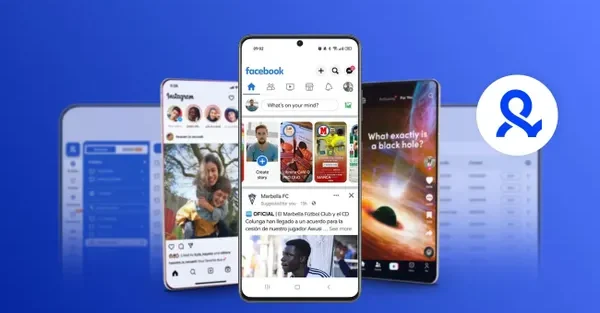
You control it from your computer. You open TikTok, log in, scroll, post and engage with other accounts all through an interface on your screen while the phone itself runs remotely. When you close the session, everything stays saved. The next time you open it you are picking up exactly where you left off, just like you would with a physical phone sitting on your desk.
From TikTok or Instagram’s point of view, that cloud phone looks indistinguishable from a real Samsung or Google device operating from a specific location. It has its own IMEI, its own login history and its own behavioral pattern. There is nothing about it that signals “this is a shared environment” because, technically, it is not.
That is the core reason cloud phones have changed how professional multi-account management works.
The real cost of running physical devices at scale
When an account’s registered region does not match where the phone is physically located, platforms start noticing the mismatch in geolocation signals. And when two accounts share the same device, they share the same fingerprint which is exactly the kind of signal TikTok and Instagram use to link accounts together.
Some teams try to get around this with emulators. They are cheaper and easier to manage at first, but most emulators recycle system signals between sessions and cannot replicate the hardware-level behavior of a real device consistently. Platforms have gotten better at spotting them, and the risk of account flags compounds over time.
Cloud phones give you a third option: real device behavior, real independence between accounts and none of the physical overhead.
How Multilogin does cloud phones differently
There are a few cloud phone tools out there, but Multilogin’s approach is worth understanding because it solves more than just the mobile problem.
Most of the alternatives are standalone services. Multilogin is different because it puts cloud phones profiles in the same dashboard. If you are running TikTok accounts on mobile alongside Facebook ad accounts, Instagram, Reddit or LinkedIn profiles on the web, everything lives in one place. You are not jumping between platforms or trying to keep track of which tool handles which account type.
On the mobile side, each cloud phone in Multilogin runs a real Android environment. You pick from Android versions 10 through 15, choose from over 12 real device brands including Samsung and Google, and each phone gets a unique IMEI generated automatically. The fingerprint stays consistent for the life of that phone. It is not reused from another profile and it does not drift between sessions.
Residential proxies are built into every plan. Over 150 countries and 1,400 cities are available, and the proxy, geolocation and network signals are matched automatically. You are not manually trying to align these things. The platform handles the coherence for you, which is a bigger deal than it sounds when you are managing accounts across multiple regions.
Session persistence is something that often gets overlooked but matters a lot for account health. When you log back into a cloud phone, all the app data, cookies and login tokens are still there. The account looks like it belongs to someone who actually uses the phone regularly, not like it was just spun up for a session.
Apps install from Multilogin’s built-in repository, including TikTok and Instagram, without needing to go through Google Play. You can also upload APKs directly for anything not in the repository.
Why shared accounts get shadowbanned
The shadowban is the quiet killer for multi-account operations. On TikTok, it means your content stops appearing in the For You feed and search results, but nobody tells you. You just watch your views fall off a cliff and spend a week wondering what you did wrong.
Shared environments are one of the most reliable ways to trigger it. When TikTok sees multiple accounts operating from the same device fingerprint or the same IP, it starts building a picture of who those accounts belong to. Once it decides they are connected, any account in that cluster becomes a risk. The suppression can start with one account and spread.
This is also where a lot of people make the VPN mistake. A VPN changes your IP. That is it. Everything else, your device ID, your hardware signals, your browser environment and your session history stays exactly the same. Run three Instagram accounts through a VPN on the same phone and Instagram still sees three accounts sharing an identical device. The IP looks different but nothing else does.
Cloud phones solve this properly because the isolation is real. Each account has its own device with its own fingerprint, its own session history and its own proxy. There is nothing to connect them because at every layer the platform checks, they look like different people on different phones.
Running a team on cloud phones
One thing that does not get talked about enough is how much easier cloud phones make team management.
With Multilogin, you can organize phones into folders, add tags and notes, and set role-based permissions for team members. Someone on your team can have full access to the phones assigned to them and zero visibility into anyone else’s. For agencies managing multiple client accounts, this kind of separation is not optional. It is how you protect clients from each other and keep your operations clean.
The phones behave like real devices inside those automation flows, so the behavioral signals stay consistent with genuine human activity rather than looking like a bot.
Getting started
Multilogin has a three day trial for €1.99. It covers cloud phones, browser profiles and the built-in residential proxies, which is enough time to actually set up a few accounts and see how the isolation and session persistence work in practice rather than just taking someone’s word for it.
Plans run from 10 profiles up to 300 or more. Mobile minutes are included in every plan, and there is no separate proxy service to set up. It is all in one place.
Use code SOCIALMEDIATODAY for 20% off your first subscription.
ssource mst